Estimates
Get a price for a specific building before you commit, email it with Send Estimate (a PDF is attached), change the property type, and know how long it holds.
You can get a price before you order anything. An estimate turns the rate card into a real number for a real building, and nothing is charged and no work starts until you act on it.
Getting one
Start the order and fill in the Scope step
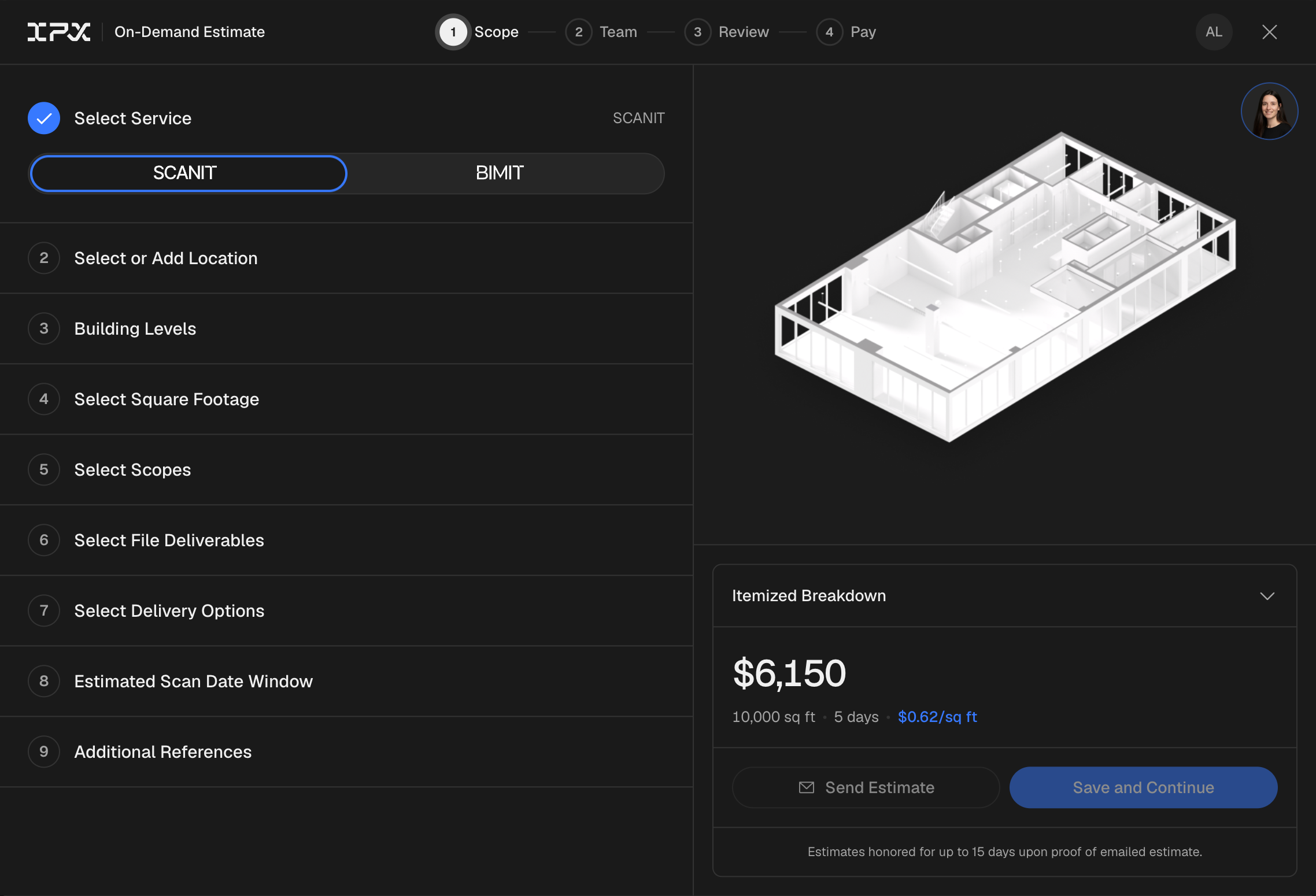
An estimate comes out of the same order window as an order. Begin placing an order and fill in the Scope step: the location, the building levels, the property type and the square footage. You don't need to upload a point cloud to get or send an estimate.
Click Send Estimate
The price shows on the right as you fill the form in. Under it, click Send Estimate, add the email addresses it should go to and an optional message, then click Send Estimate again. You can send it from the Scope or Team step. If the button is greyed out, hover it: it lists what the form still needs (for example Choose a property type).
Open the email
Each person you sent it to gets an email with the estimate attached as a PDF, plus a link to the live version, where the PDF can be downloaded again at any time. You can forward the PDF for approval.
Come back and order
Ordering is what turns the estimate into work. Until you do, nothing is charged and nothing is produced.
How long it holds
An estimate is honored for 15 days from the day it is sent. Past that, request a fresh one; there is no limit on how many you ask for.
Changing the property type
Property type belongs to the location, not the estimate. In the Scope step, the Property type field sits under the location you pick, with the note "Property type is set at the location level and applies to all projects at this location." To change it, pick the right property type there, and send a new estimate. An estimate you already sent keeps the property type it was priced with, so ignore the old one; it lapses on its own.
Anything else that feeds the price (the setting, the scope, the square footage) works the same way: change it in the order window and send a new estimate.
What an estimate does not do
An estimate does not reserve capacity, hold a place in the queue, or start any production work. It is a price and a validity window.
Related
| If you are asking about | Read |
|---|---|
| Where the number on the estimate comes from | What BIMIT costs |
| The order itself, start to finish | Placing an order |
| Pricing across all IPX services | How pricing works |