When you invited someone external to a location, they would disappear from the team view until they accepted — making it impossible to tell whether an invite was still outstanding or had been missed.
Share

Shipped in February 2026.
When you invited someone external to a location, they would disappear from the team view until they accepted — making it impossible to tell whether an invite was still outstanding or had been missed.
Several issues in the invitation flow — from sending to accepting — have been resolved together.
Switching to a different location while a BIM model was still loading could produce a blank "Application Error" screen, forcing a full page refresh to recover.
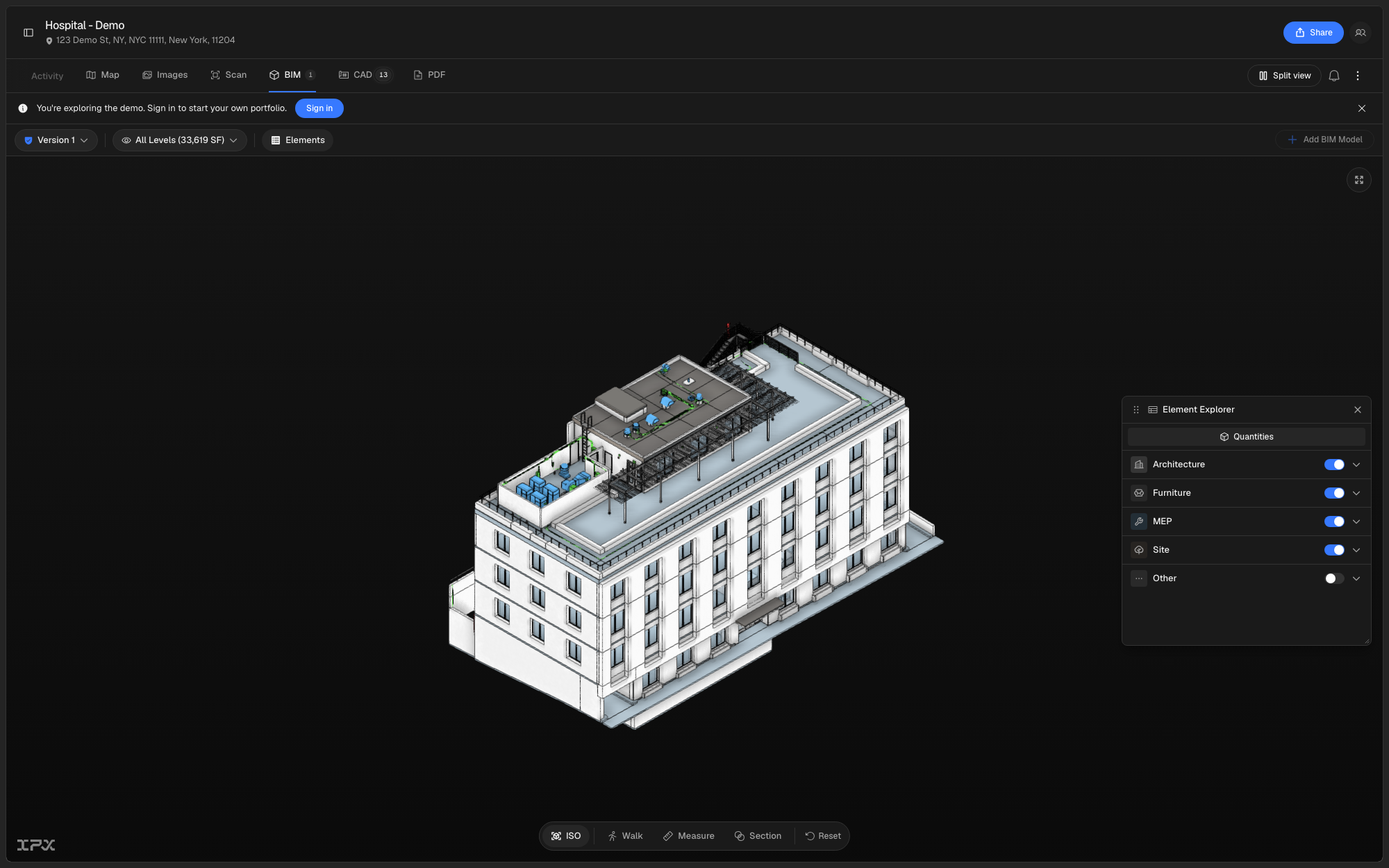
Navigating and interrogating a 3D BIM model used to mean relying on the viewer's default controls, with no quick way to measure distances, cut a section through the building, or walk through the space.
Read moreThe version switcher in the BIM viewer was listing every file attached to a location — including IFC exports and scan files — as if they were all separate model versions. This made it hard to tell which entries were actually different cuts of the BIM model.
A cluster of bugs in the external stakeholder invite flow could cause invitations to fail silently, land in the wrong inbox, or expose internal team details to external collaborators.
Tracking an order's progress used to mean parsing a series of disconnected status indicators. The Activity tab now shows everything — stage progress, included scope, and the full activity log — in a single, consistent layout.
When reviewing a 360 image, it could be hard to orient yourself — the previous compass was small and easy to miss, and nothing on the floor plan told you which way the camera was facing.
When reviewing a site between visits, it was hard to tell which direction a 360 image was facing, when it was captured, or how it compared to an earlier walk. The site monitoring viewer now gives you that orientation and context directly inside the platform.
Tracking an active order used to mean reading through a flat list of cards with no clear sense of how far along the work was or what still needed to happen. The Activity tab has been rebuilt as a Project Hub — a structured view that shows where every order stands, what's coming next, and what's changed recently.
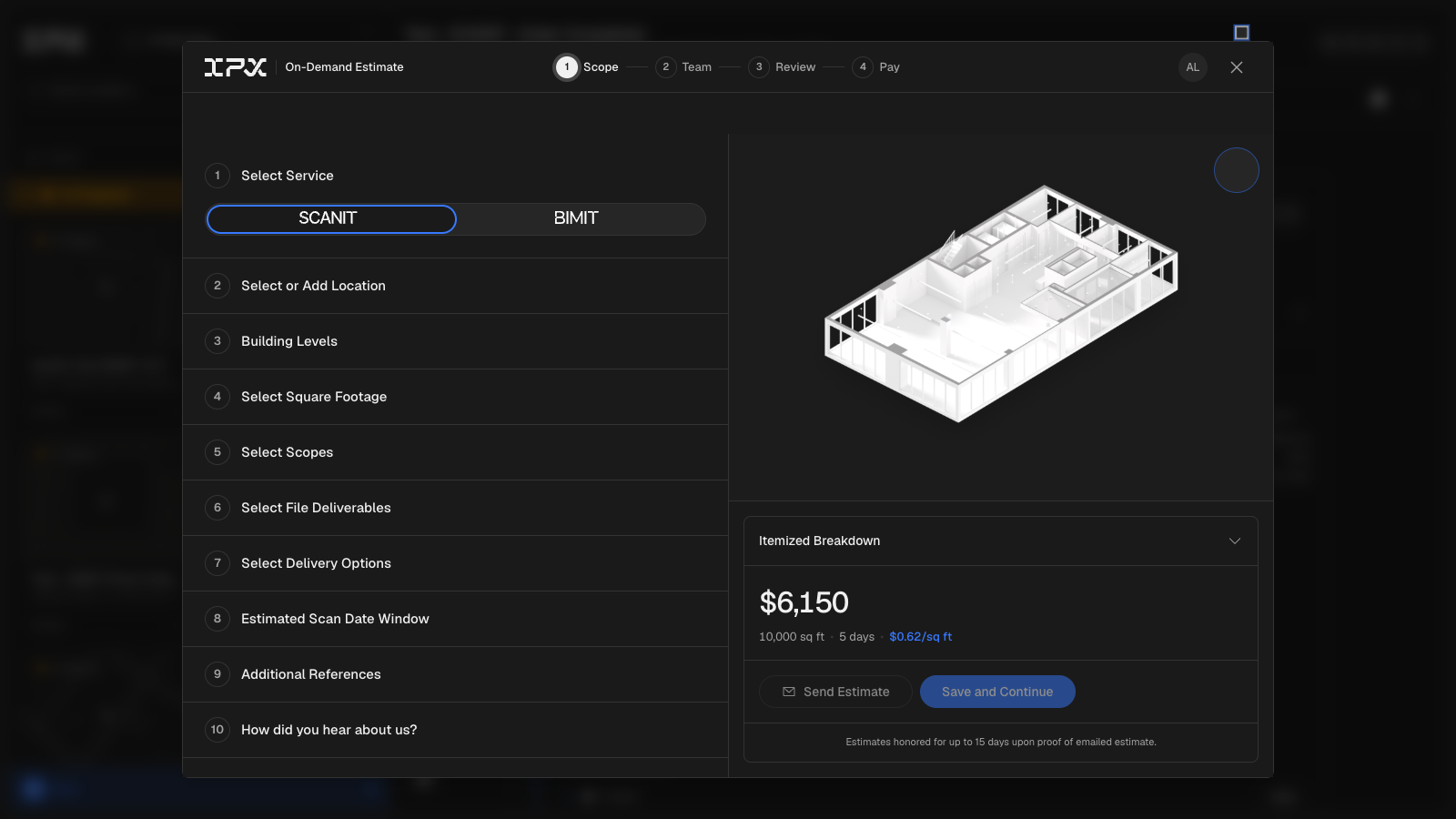
Previously, submitting a BIMIT or SCANIT order meant going back and forth over email to align on scope, pricing, and payment. There was no single place to build, review, share, and pay for a request.
Read moreWhen reviewing site monitoring captures, it was hard to stay oriented — you had to jump between the panorama and the floor plan separately, and there was no quick way to tell whether you were looking at the most recent scan or an older one.
Clicking a notification that belonged to a different org left the sidebar and org switcher showing the wrong org — locations, activity, and other context stayed pinned to whichever org you were already viewing.
Previously, the Element Explorer listed model categories but gave you no quick read on how much of each category was actually in the model — you had to open Revit or dig through properties to get a length or area figure.
Three related issues in the site monitoring image workflow are now resolved.
When reviewing a model with many element categories visible at once, it can be hard to focus on one system — structural columns, doors, and MEP elements all compete for attention in the same view.
Browsing elements in the BIM viewer previously gave you counts but no sense of how much of any given category was actually in the model. The Element Explorer now shows real measurements alongside counts, and lets you focus on a single category in the 3D view without any extra clicks.
When your organization has hundreds or thousands of locations, the sidebar previously showed group counts that only reflected however many items had already loaded — not the true total. Scrolling through a long list was also unreliable. Both problems are fixed.
When a location had more than one BIM model uploaded over time, the version picker in the viewer would only surface versions of a single model file — leaving others invisible or requiring a workaround to access. Loading the viewer directly from a bookmarked or shared URL could also produce a blank screen if the model reference in the URL had gone stale.
When comparing two BIM models side by side, it wasn't always obvious at a glance which model had passed QA/QC and which was still pending review — and navigating each viewer independently made spatial comparison slow and error-prone.
The BIMIT AI sidebar item no longer appears as an active option before the feature is ready to use.
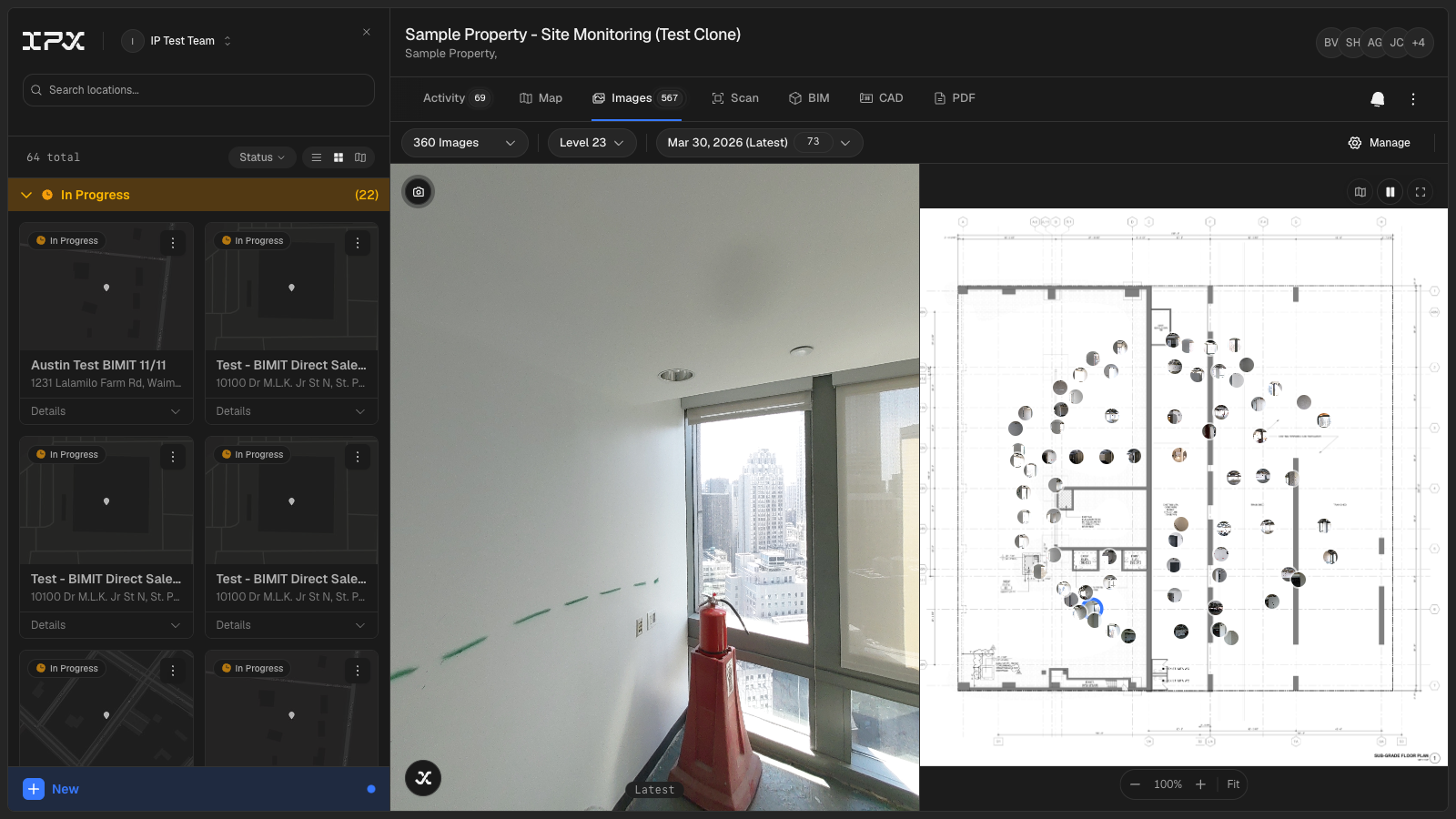
Tracking conditions across a building over time — whether after a renovation phase, a recurring inspection cycle, or a phased fit-out — previously meant managing image folders offline and reconciling them against drawings by hand. The new **Site Monitoring** tab brings that workflow directly into the location viewer.
Read more