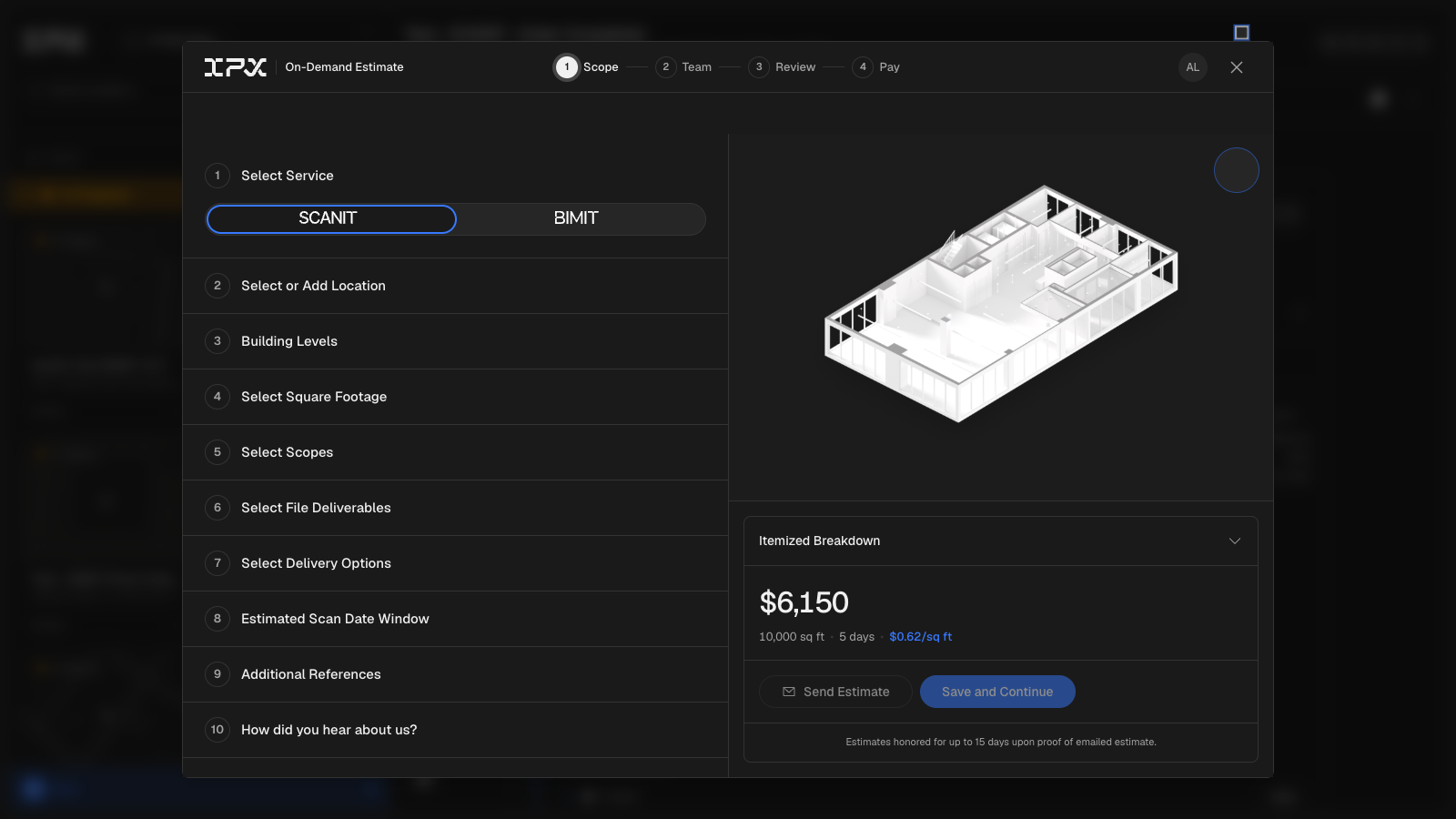
The order flow is now end-to-end inside the platform. Starting a new service request opens a four-step wizard — Configure, Deliverables, Review, and Payment — that walks you through scope, add-ons, location, and deposit without leaving the page. Your progress is saved as you go, so if you close the modal and come back, nothing is lost.
Getting an estimate before you commit
At the Review step, you can send a formatted estimate to anyone who needs to approve the work — a colleague with an account or an external contact with just an email address. The estimate arrives as a branded email with an itemized breakdown of deliverables, add-ons, and any fast-track premium. Each estimate also includes a link to a print-ready page showing a map of the project location alongside the full pricing summary, formatted cleanly for PDF export or printing. A QR code on that page links back to the shareable estimate URL, so it travels well in proposals or approval packets.
Picking up where the estimate left off
When an approver is ready to move forward, the Continue to Checkout button in the estimate email drops them directly into the Review step of the wizard with all scope and file selections already restored. No re-entering locations, no re-uploading reference files. From there it's one step to payment.
Paying the deposit
The Payment step collects the deposit via card. Pricing for add-ons is pulled live from current rate configurations, so the number you see at checkout matches what was in the estimate. Once payment clears, the order is submitted and appears in your project list with its status tracking active.
A few things to know
- Reference files and point cloud uploads are attached during the Configure step. Supported formats follow the standard BIMIT Engine intake requirements.
- Location search uses address autocomplete — start typing a street address and select from the suggestions.
- The estimate print page is optimized for Puppeteer-based PDF generation; if you're exporting to PDF from a browser, use your browser's print-to-PDF option and set margins to "none" for the cleanest result.
- Estimates capture a full snapshot of pricing at the time they are sent. If rate configurations change afterward, the estimate you already sent reflects the original pricing.