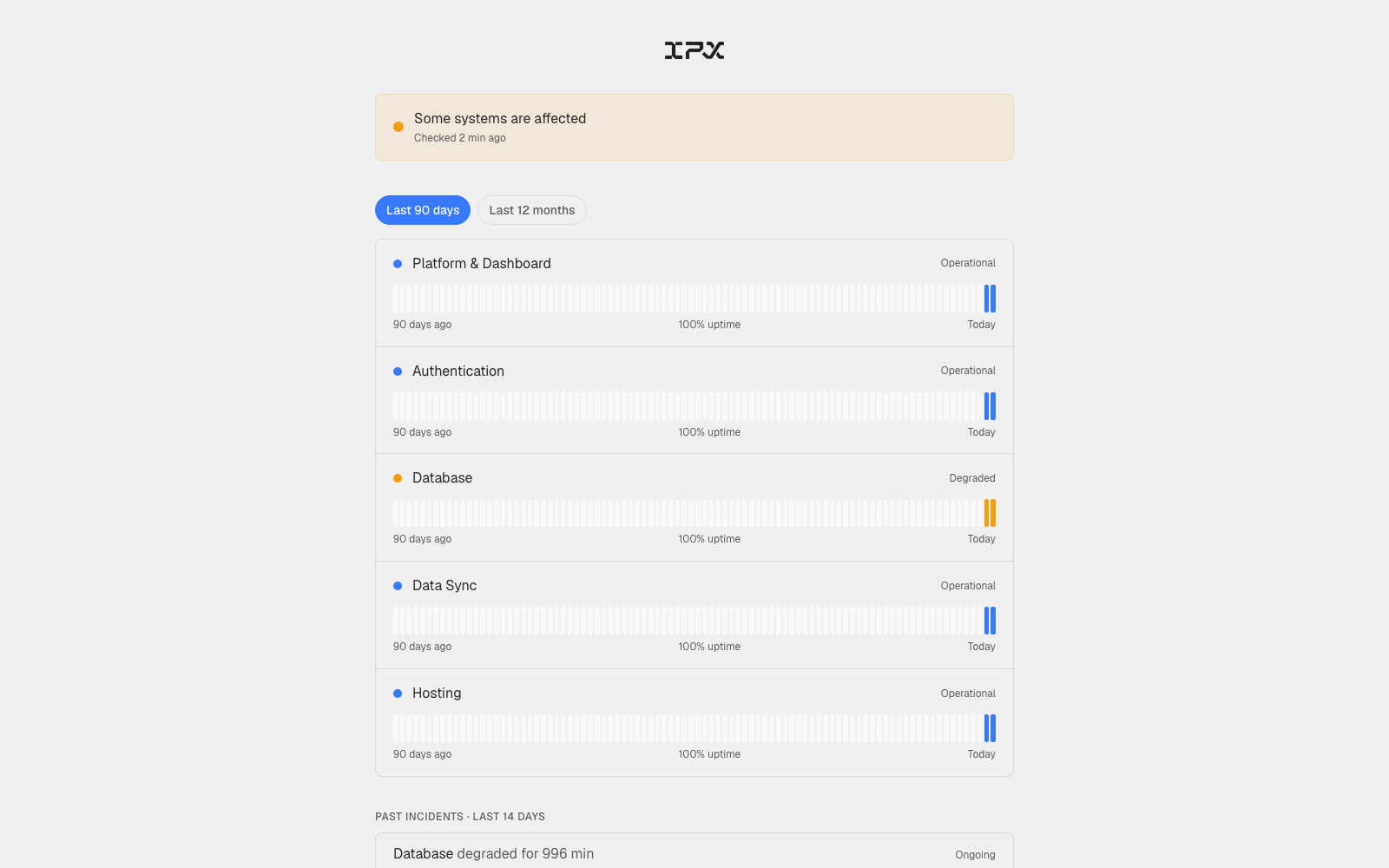
When something feels off — a slow login, a file that won't load — there was no quick way to check whether the issue was on our end or yours. You had to email support and wait.
Adding locations one at a time is fine for a handful of sites. For teams managing dozens or hundreds of buildings, it means the same manual form over and over before any real work can start.
Knowing exactly who can see, download, or change anything across your portfolio is the difference between a clean handover and a security review you'd rather not have to run. The new Audit panel surfaces that picture in one view.
When reviewing a service request, the itemized cost breakdown, the headline price, and the contract value shown in a change order could each show a different number. In some cases, add-ons calculated against the wrong square footage, timelines summed incorrectly, and the fast-track premium applied in one place but not another.
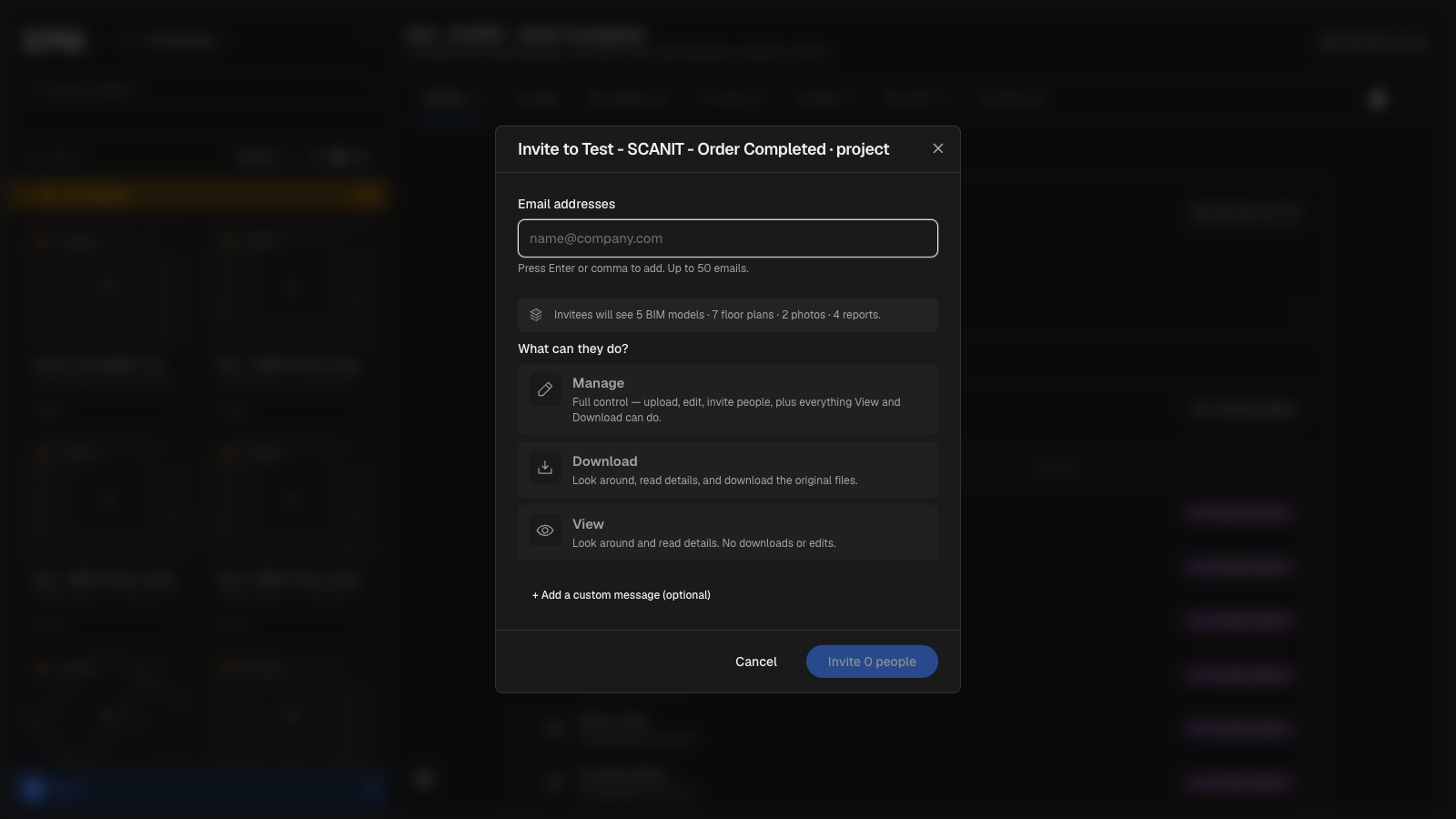
Members with project-level access could see role-change and invite controls in the Members panel that would fail with an error when used. Those controls are now hidden or disabled based on what the member's scope actually permits.
Project members with view, download, or manage access were unable to see site monitoring data — including 360 images and capture history — even when the project belonged to a location they had been granted access to. A location-level role was required, which meant teams working purely at the project level were effectively locked out.
View-only members could previously obtain a full 24-hour download link for any asset in their organization — including assets in locations they had no access to. That gap is now closed.
If you switched a draft order between SCANIT and BIMIT, saved, then closed and reopened it, the wizard would revert to whichever service type the order was originally created with.
When editing a draft order and changing the service from SCANIT to BIMIT (or the reverse), the switch wasn't sticking. Pricing and scope rows updated correctly, but the order continued to display and behave as the original service type everywhere — in the order detail view, in downstream calculations, and in any status tracking tied to that order.
The BIMIT upload panel advertised a 30 GB file size limit, but the actual limit enforced was 20 GB — files between 20 GB and 30 GB were rejected with a "File too large" error.
Before this change, getting a change order amendment signed required the person with signing authority to be the one stepping through the amendment wizard — there was no way to hand off a direct link to whoever needed to sign.
When you opened a public estimate link and clicked through to checkout, a second project record was created for the same location — even though the original project already existed. This could leave your project list with duplicate entries for the same address.
Getting a service agreement signed has often meant chasing down the one person with authority to sign — who may not be the same person placing the order.
When returning to a BIMIT order you had started but not finished — whether you closed it mid-flow, paused before payment, or came back to an approved project to make edits — the point-cloud dropzone was blank, requiring you to locate and re-upload your file before continuing.
Opening a BIMIT pipeline stage while the BIM viewer was already open would cause the BIM viewer to go entirely white, forcing a manual page refresh to recover it.
Before this change, filling in mobilization details required working through a slide-over sheet that appeared at a specific point in the project timeline — meaning you couldn't revisit or update those details without hunting for the right action at the right moment.
Finding the right PDF in the viewer used to mean scrolling through a single dropdown of raw filenames — often long UUID strings with no indication of what they contained. That's replaced now.
On mobile, tapping **Get verified as-builts**, **BIMIT AI**, or **Add Location** from the action menu caused the modal to flash briefly and close before you could interact with it. Separately, tapping a location in the sidebar would navigate correctly the first time, then silently revert to the previous location on any subsequent tap.
After a BIMIT Engine job finished processing, the plan stage could remain stuck on "Generating plans..." indefinitely — even though the pipeline had completed successfully and the key-plan preview was ready.
Previously, browsing site monitoring captures required picking a date first — and the floor list would grey out any floors that had no images for that date, forcing you to guess which floor-and-date combinations actually had photos.
When you asked the BIM assistant for a breakdown of model data — by element type, floor, category, or similar — it would sometimes decline, saying it couldn't display the information that way. The data was there; the chat surface just couldn't render it.
Finding the right file to download was harder than it needed to be when a location had multiple BIM model versions — all the files sat in a flat list with no clear sense of which was current or when each was produced.
Signing in with Google or Microsoft could leave you stuck on "Completing sign in…" indefinitely — no error message, no way forward, no indication that anything had gone wrong.
When you created a new location, the map thumbnail would often be missing — showing a blank placeholder instead of the expected static map image — for up to six hours after the location was added.
Previously, there was no visual signal on a location when something in your project required a response. You had to open each project individually to discover that an action was waiting on you.
When exporting a model to ACC or Procore, clicking a hub in the **Choose Destination** step caused the page to crash and show a "Something went wrong" error. The folder tree never loaded, blocking the export entirely.
The History tab in the BIMIT Engine modal had inconsistent status badge colors, misaligned columns, and a plain text label where a loading indicator should appear.
After completing the Autodesk Construction Cloud authorization flow, the platform was silently redirecting to the home page with no confirmation — leaving you with no indication that the connection had actually gone through.
Previously, connecting your Autodesk Construction Cloud account was only possible as a side step inside the Export modal — and there was no way to disconnect or check the status of your connection without going through an export.