Platformv0.1.0
Real-time pricing estimates in the service request flow
Getting a cost estimate for a scan-to-BIM project used to mean waiting for a quote. Now the service request form calculates pricing in real time as you fill it in.
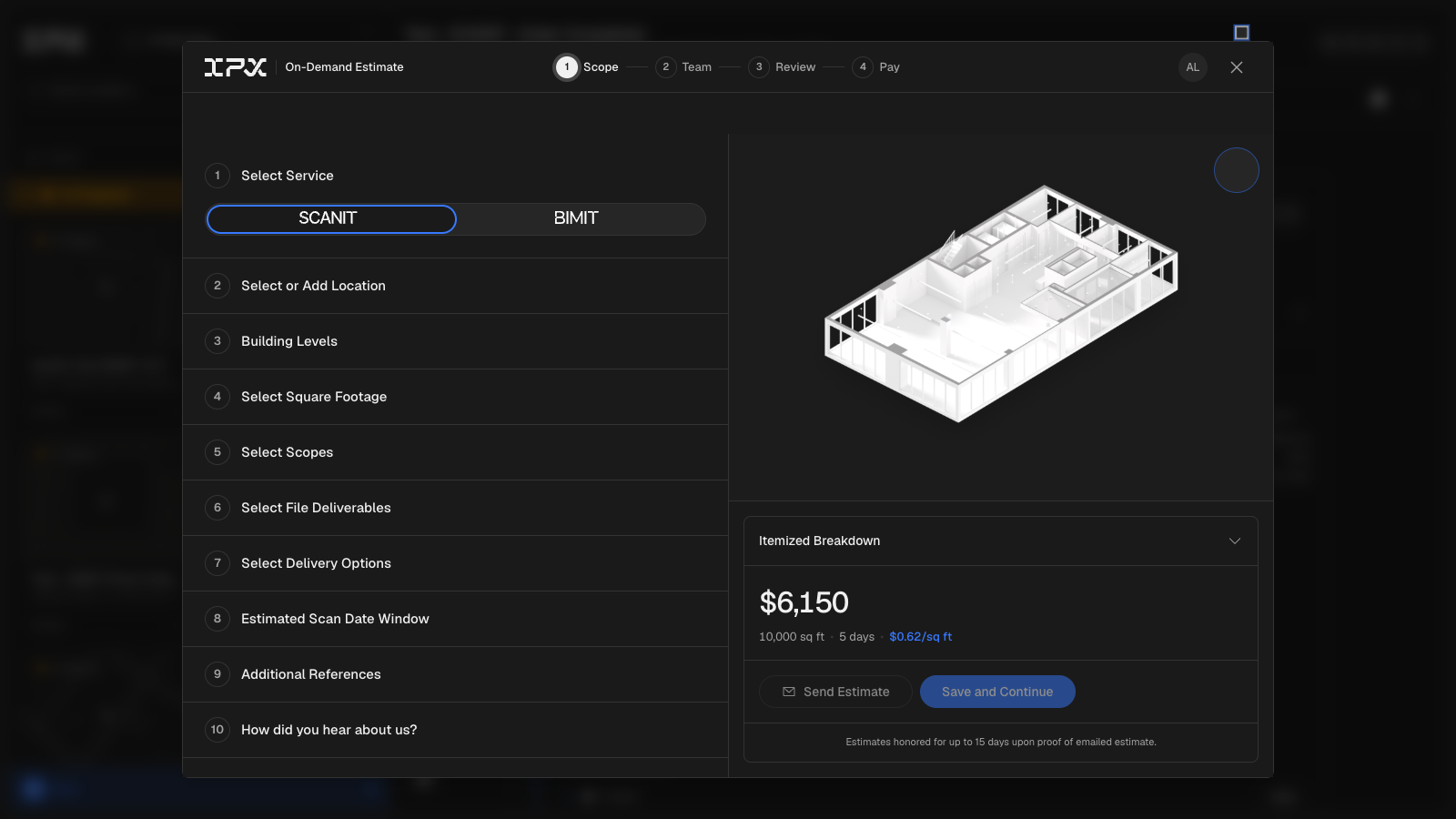

Getting a cost estimate for a scan-to-BIM project used to mean waiting for a quote. Now the service request form calculates pricing in real time as you fill it in.
How it works
When you open a new service request, the pricing breakdown panel updates as you make selections. Enter your square footage, choose between SCANIT, BIMIT, or both, pick your scopes, and you'll see an itemized estimate before you submit anything. Pricing adjusts for volume automatically — smaller spaces are priced at a flat minimum, and larger spaces step down in per-sqft rate as footage grows (discounts start at 25,000 sqft and increase at 100,000 and 1,000,000 sqft).
The breakdown organizes costs into groups that match how the work actually runs. SCANIT line items (interior scanning, post-processing, point cloud review) show sequentially because that work happens in order. BIMIT line items (architecture, MEPF, furniture, exterior) show in parallel because that modeling happens concurrently. The timeline shown at the bottom reflects both: add up the scan side, take the longest on the model side. Each line item shows its individual cost and estimated turnaround so you can see exactly what's driving the total.
Scope and add-on controls
Enabling scopes in the form adds the corresponding line to the estimate immediately. Turning on Architecture adds an architecture modeling line; toggling Complex MEPF switches the MEPF line to the complex rate. The Fast Track toggle shows a premium line (+30% on the base total) and recalculates all turnaround times at 30% faster — useful when you need to see the cost of compressing the schedule.
Add-ons — Location Report, USD File, and 179 Energy Audit — can be enabled individually. Each adds its own cost line and runs in parallel with the main work, so they don't affect the critical-path timeline.
Site Survey Control at 30,000+ sqft
For SCANIT orders, Site Survey Control is required on spaces over 30,000 sqft. The form handles this automatically: cross the threshold and Site Survey Control is added to your estimate with a notification confirming it was added. Drop back below 30,000 sqft and it's removed — unless you had manually enabled it, in which case your choice is preserved.
What you see at the bottom
The estimate shows a grand total, a per-sqft cost, and a deposit amount (50% of the total). These figures update in real time as you change any input. The estimate reflects current pricing — the form selects the most recent pricing table automatically, so you don't need to choose.