Welcome to IPX Platform
Understand the IPX Platform dashboard and how to navigate your portfolio of locations.
Understand the IPX Platform dashboard and how to navigate your portfolio of locations.
The IPX Platform brings your portfolio of locations into one place. From your dashboard you can request scans, track service progress, view deliverables, and download files for any building you manage or have access to.
The dashboard is split into three main areas — a left sidebar with your locations, a top header with search and account controls, and a main content area showing the active location.
The left sidebar lists every location your organization has added to the platform. Each item shows the address and the current service status. Click any location to open it.
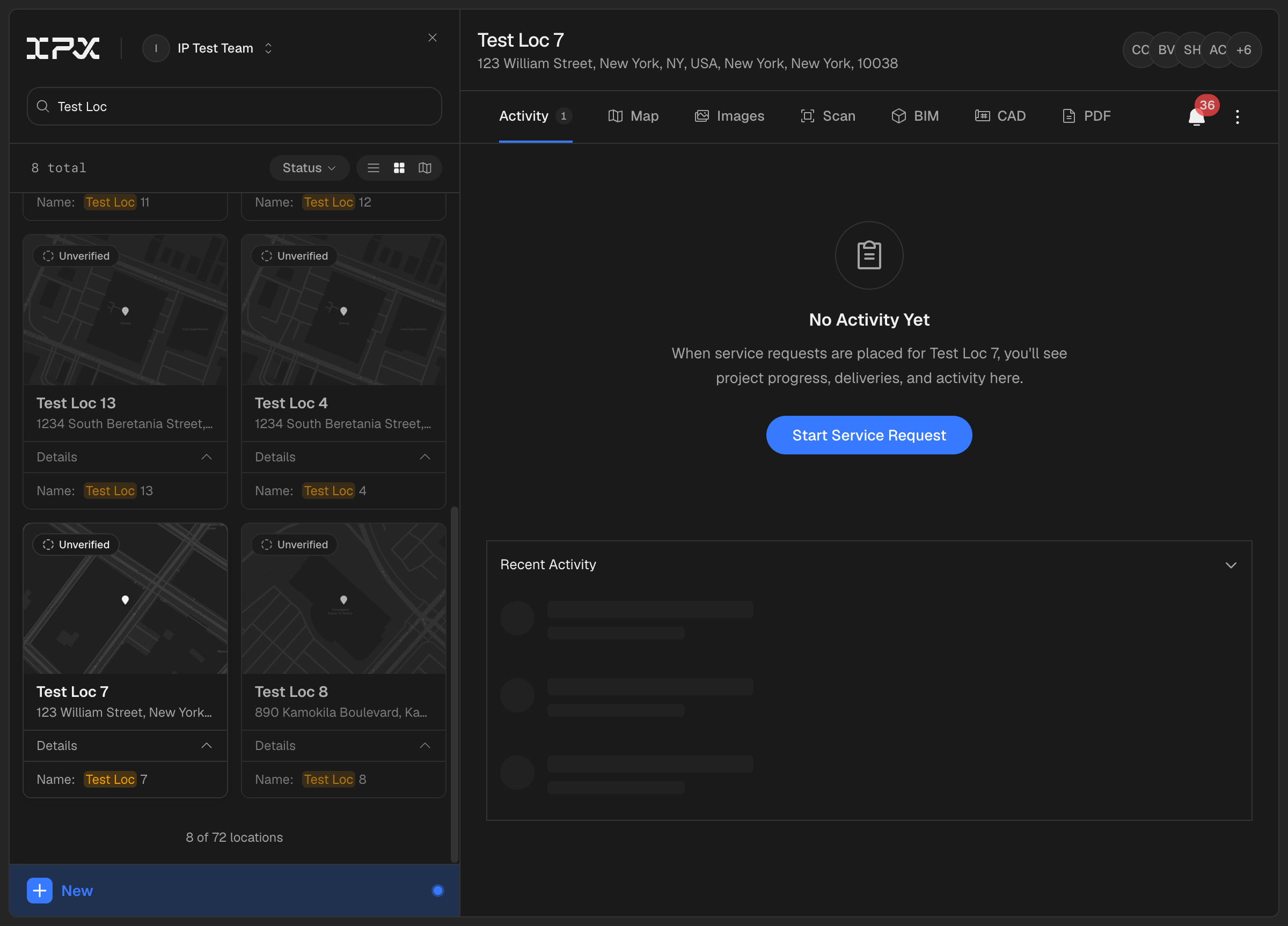
Selecting a location loads its detail view in the main area. A location reopens to whichever tab you viewed last — so you may land directly on a deliverable like BIM (with a brief "Preparing viewer…" loader) rather than the Activity tab. Tabs at the top let you switch between Activity, Map, Images, Scan, BIM, CAD, and PDF for that location. The deliverable tabs — Scan, BIM, CAD, and PDF — show a count when files are ready, so you can tell at a glance what's available.

Use the search bar at the top of the sidebar to filter locations by name or address. The list updates as you type.
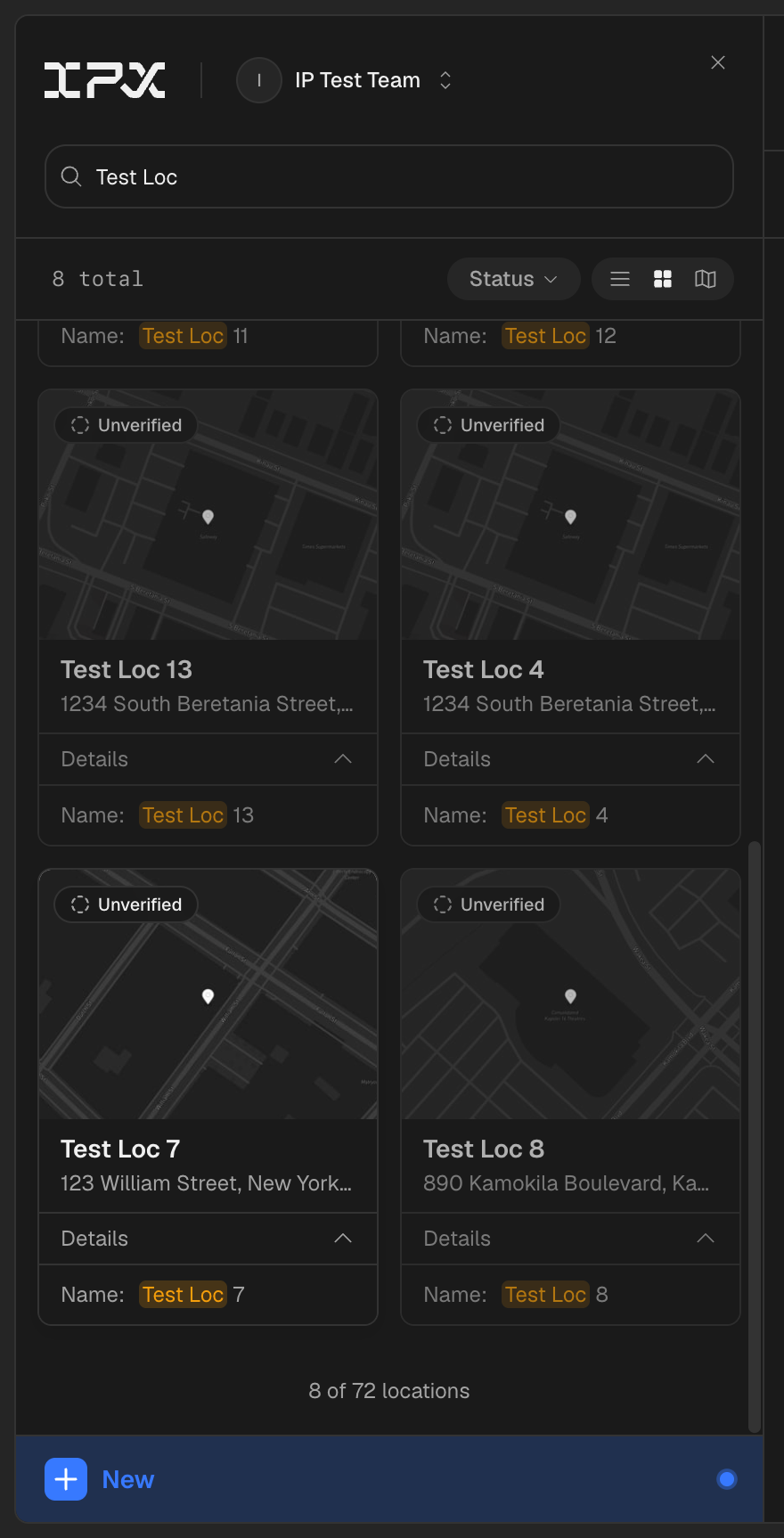
If you belong to multiple organizations, click your organization name in the sidebar header to switch. Each organization has its own independent set of locations and team members.