The problem
Getting inside a scanned building was hard. Zooming toward it converged toward a fixed pivot point and could never pass through a wall or doorway, so you'd get stuck hovering outside. Panning across a facade slowed to a crawl the more you zoomed in, until it froze completely. And orbiting would swing the camera around empty space instead of the geometry you were trying to inspect, because the rotation pivot never followed you.
How it works
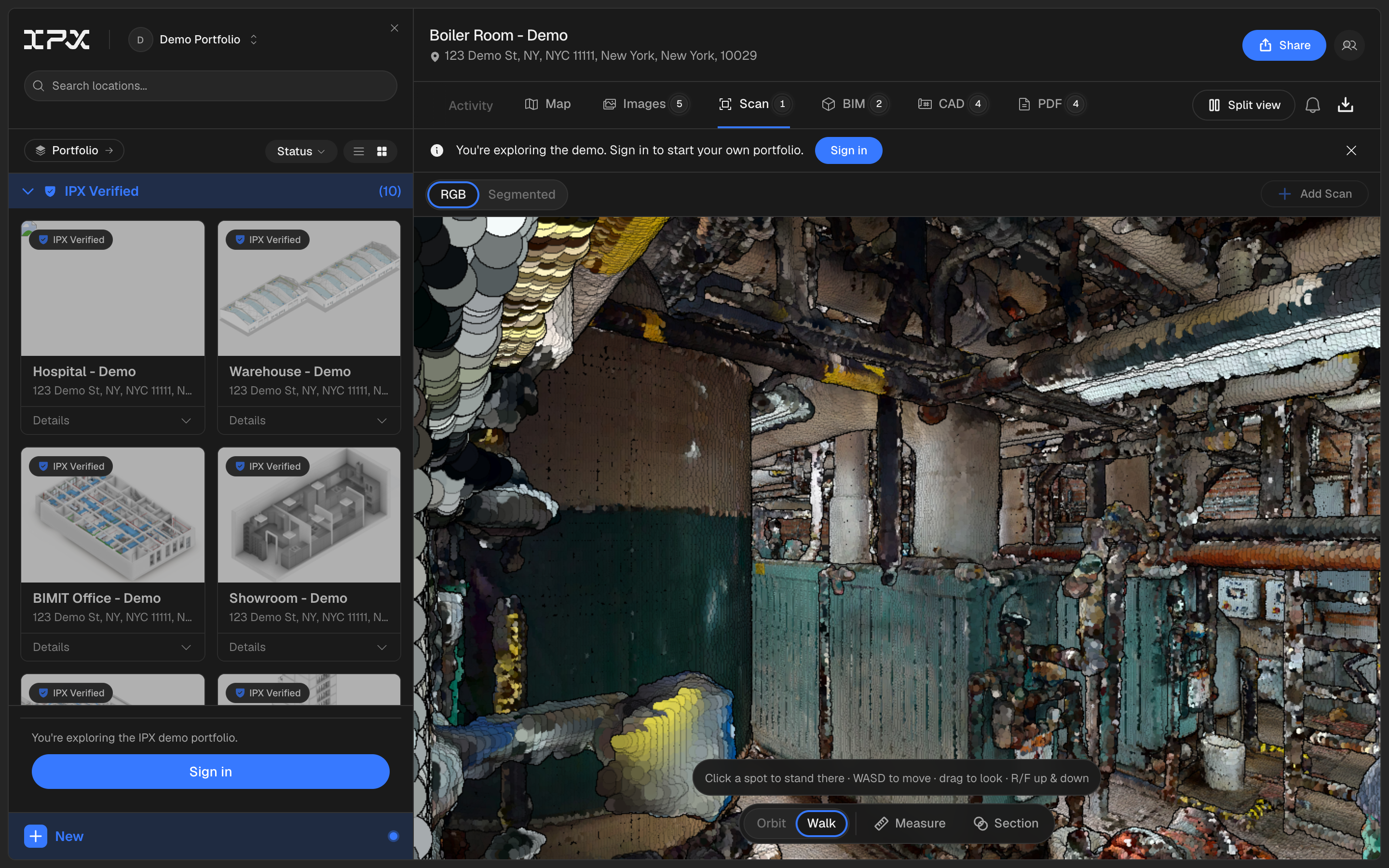
Wheel zoom now dollies toward whatever point is under your cursor, with a minimum step so it passes through walls and doorways instead of stalling outside them. The orbit pivot re-anchors to the surface under your cursor as you pan and zoom, so rotation stays centered on what you're looking at. Panning has a floor so it never grinds to a halt, no matter how far you're zoomed in.
On top of that, the scan toolbar has a new Orbit | Walk control and a Teleport toggle. Switch to Walk to move through the space with WASD at a fixed eye-level speed. Turn on Teleport and click anywhere on the floor to fly the camera to standing height above that spot, then keep walking from there. Zoom far enough into the building and the viewer switches you into walk mode automatically, so diving in feels continuous. Pause and come back to a scan and your camera position is exactly where you left it, instead of resetting to the overview.
This applies everywhere the scan viewer shows up: the scan tab, BIMIT inline previews, and the BIMIT fullscreen modal.
Getting started
Open a scan on the scan tab and use your scroll wheel to zoom in, no setup needed. To move through the interior, click Walk in the toolbar and use WASD, or click Teleport and click a spot on the floor to jump there.
Good to know
Shared links that include the walk or teleport view state carry that state along, so anyone opening the link lands in the same mode you were in.
Create a free account to try it