Search or ask from one field
One field finds your locations and orders, and hands a question to a card on the same page.
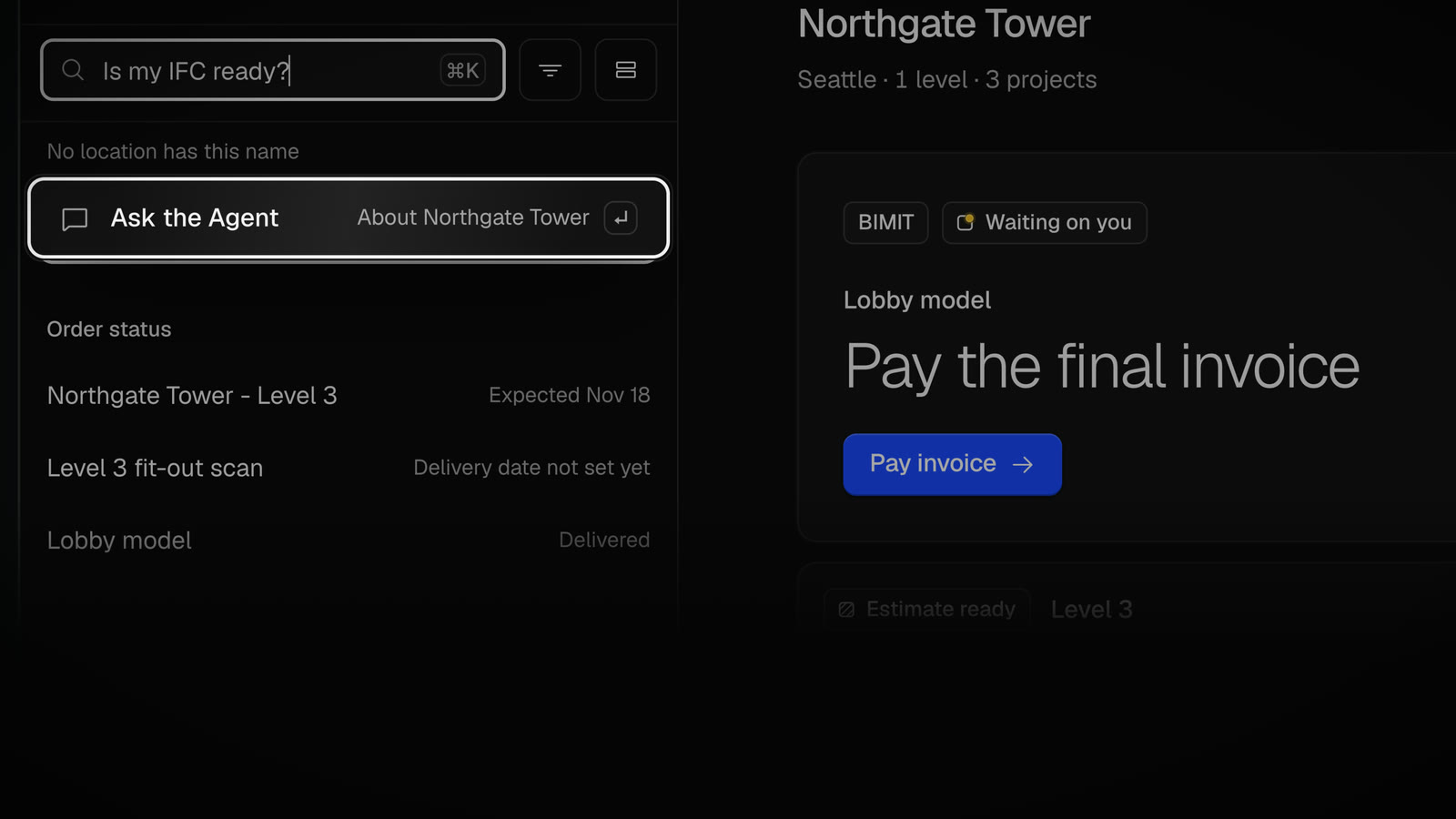
Before, the field read Search locations, and the Agent was a tab inside a model. Now it reads Search or ask, on the Portfolio and beside every location, and ⌘K (Ctrl K on Windows) puts the cursor in it. A name lists the locations that match. Beside a location, what you type also brings up Guides and Order status. When no location matches, Enter takes the Ask the Agent row, which opens a card in the corner of the page and hands it your words. In organizations that have the Agent, the Agent answers in that card, and its first screen shows the location's order, where it stands and the topics people ask about. In every other organization, the card's box writes to IPX support.