Platform
Leave comments pinned to the exact spot in a virtual tour
Pin a comment to the exact point in a 3D tour, tag a teammate, and follow the conversation without leaving the model.
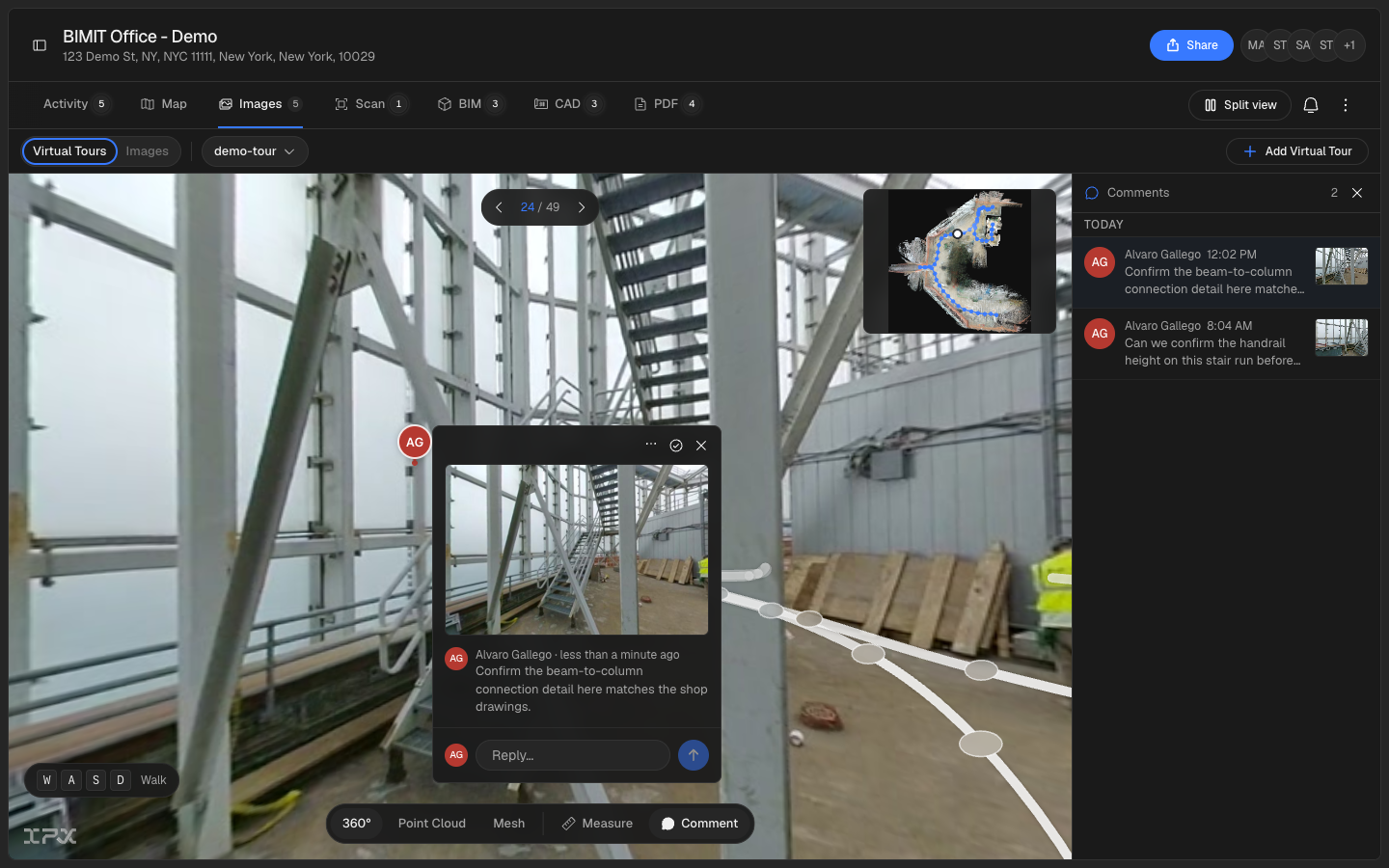

Pin a comment to the exact point in a 3D tour, tag a teammate, and follow the conversation without leaving the model.
The problem
Feedback on a tour usually happens somewhere else: a screenshot dropped in chat, a note in an email, a comment made out loud in a meeting that nobody wrote down. By the time someone acts on it, the spatial context is gone, and you're describing "the corner near the loading dock" instead of pointing at it.
How it works
Comments now live inside the tour itself, anchored to the exact camera position and point on the model where they were written. Click a spot to drop a pin, write a note in the composer, and it opens as a thread card right there in the scene, with a snapshot of the view attached.
A docked rail lists every thread in the tour, grouped by day, so you can scan the full conversation history without hunting through the model. Clicking a thread in the rail flies the camera back to its exact pin and opens it.
Tag a teammate with @mentions using a keyboard-navigable picker, and they're notified through the bell and, if they've opted in, by email. The notification email carries the tour snapshot from the pin plus a button that flies straight to it, so replying doesn't start with "wait, where is this."
Unread threads carry a red badge count, and your own posts never mark a thread unread for you, so the badge only lights up for activity you haven't seen yet. When a conversation is settled, resolve it from the thread header instead of deleting it: resolved pins grey out but stay in the tour and stay filterable, so the history isn't lost.
Each person's initials and pin color stay consistent across the tour, so a busy thread reads as people, not a wall of identical grey circles.
Getting started
Open any tour in the viewer and click a point on the model to start a comment. Type @ in the composer to tag a teammate. Use the rail icon to see every thread in the tour, or the notification bell to catch up on replies and mentions. Turn mention and reply emails on or off from your notification settings.
Good to know
Comments belong to the location the tour lives in rather than to an order, so they persist even for tours that were never attached to one. Cross-capture linking, mobile support, and export to RFI/BCF formats are on the roadmap but not yet available.