BIMIT Engine
BIMIT 4.0: turn a 3D scan into a Revit model in hours
Upload a 3D scan and get a Revit model, floor plans and CAD back in hours. Your organization's first 10,000 sq ft are free.

Upload a 3D scan and get a Revit model, floor plans and CAD back in hours. Your organization's first 10,000 sq ft are free.
The problem
Most buildings have no accurate drawings. When you need a model of one, the scan is usually the easy part. Turning that point cloud into a Revit model has meant days of drafting by hand and a wait before anyone could start, with no quick way to know how close the result is to the real building.
How it works
BIMIT 4.0 is our scan-to-BIM engine, now open to everyone on IPX. You upload a point cloud, and it finds the levels, models the walls, doors and windows, draws the floor plans and checks its own work against your scan.
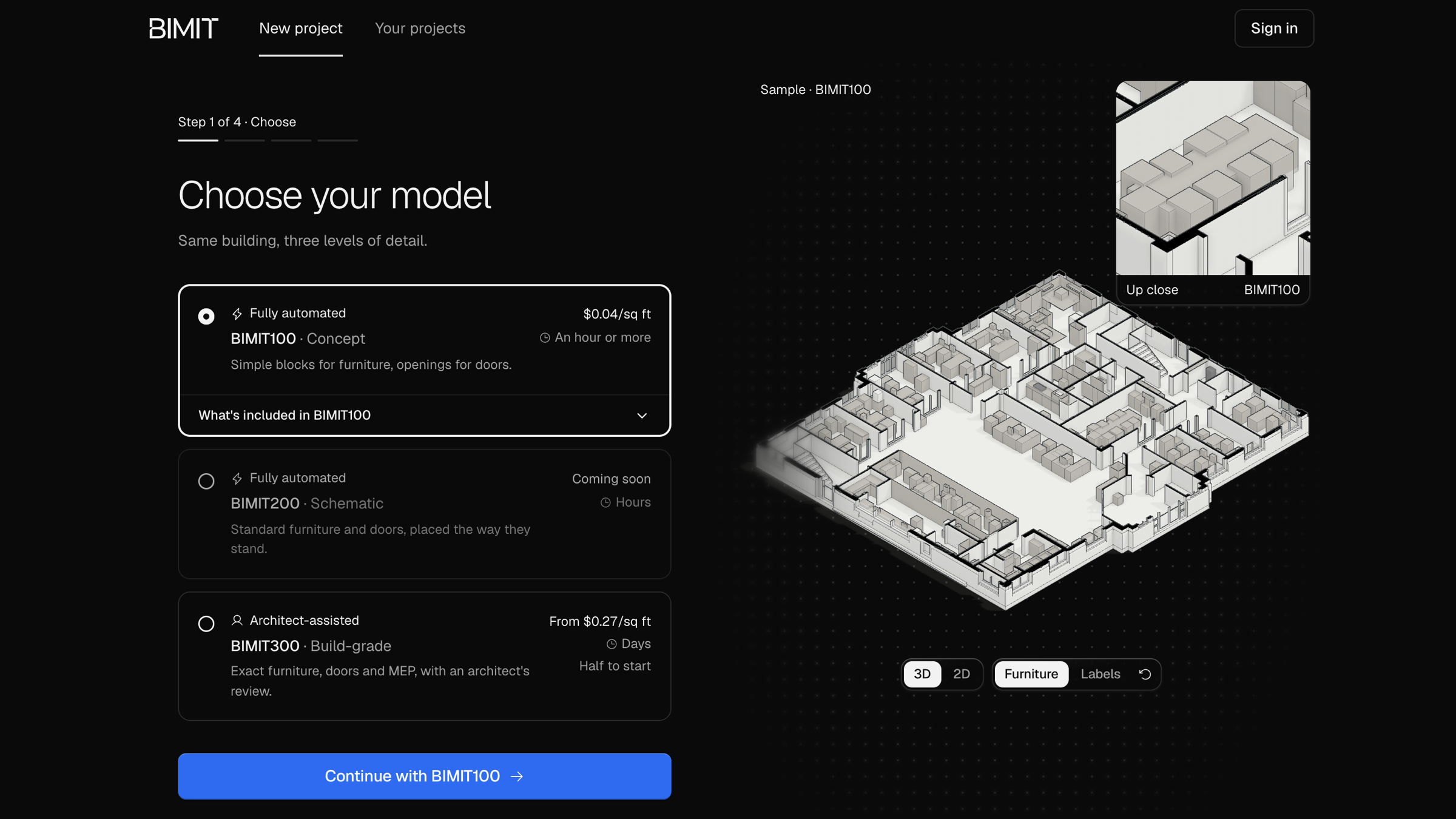
Pick a level of detail. BIMIT100 is fully automated: walls, openings and simple blocks for furniture, usually in an hour or more. BIMIT300 adds an architect's review for exact furniture, doors and MEP, and takes days. BIMIT200, with standard furniture placed the way it stands, is coming soon. Each level shows its price per sq ft before you upload.
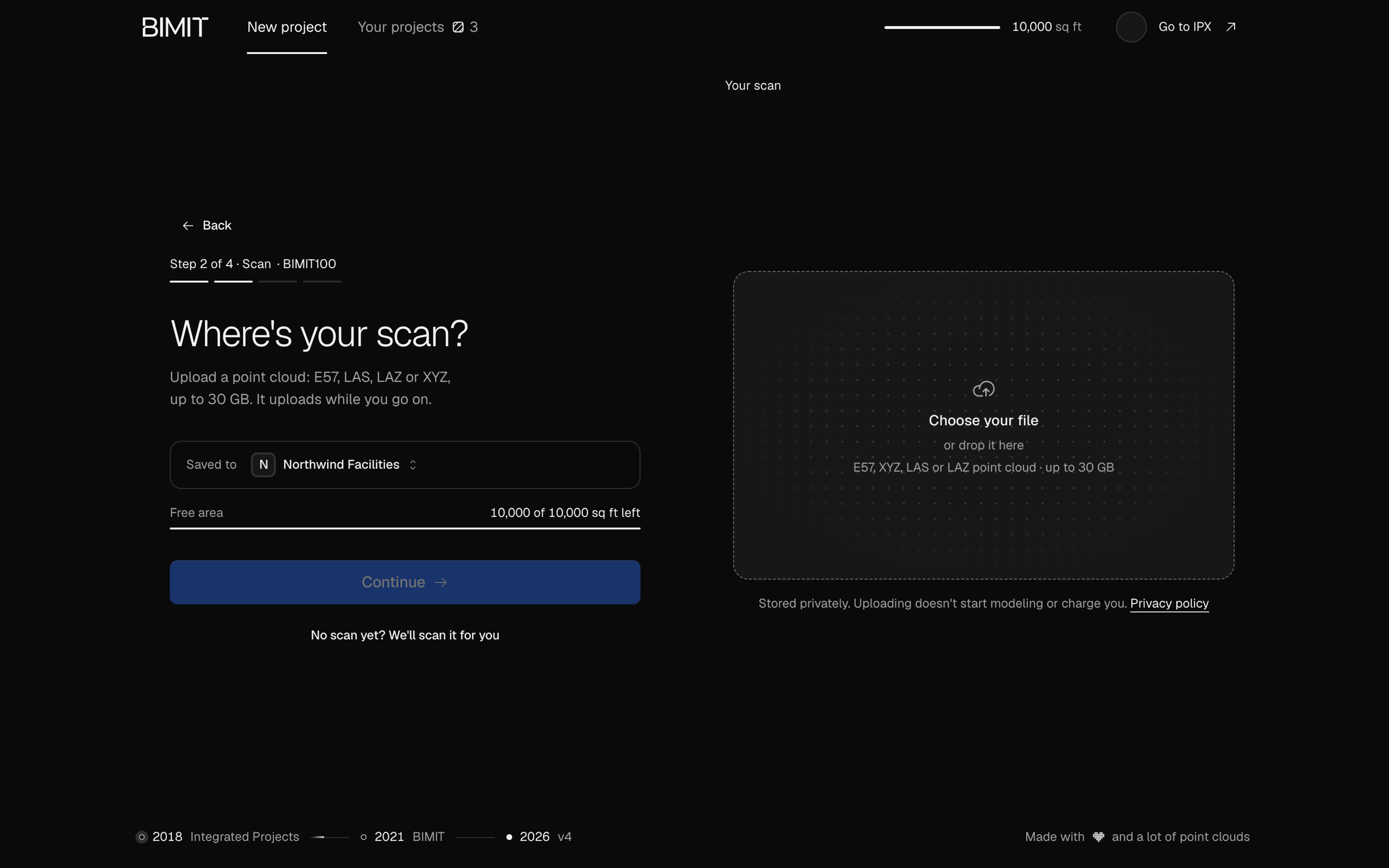
Upload your scan. Drop in an E57, LAS, LAZ or XYZ point cloud of up to 30 GB. It's stored privately, and uploading doesn't start modeling or charge you. Every organization starts with 10,000 sq ft of BIMIT100 free, and the scan step shows how much is left before you order.
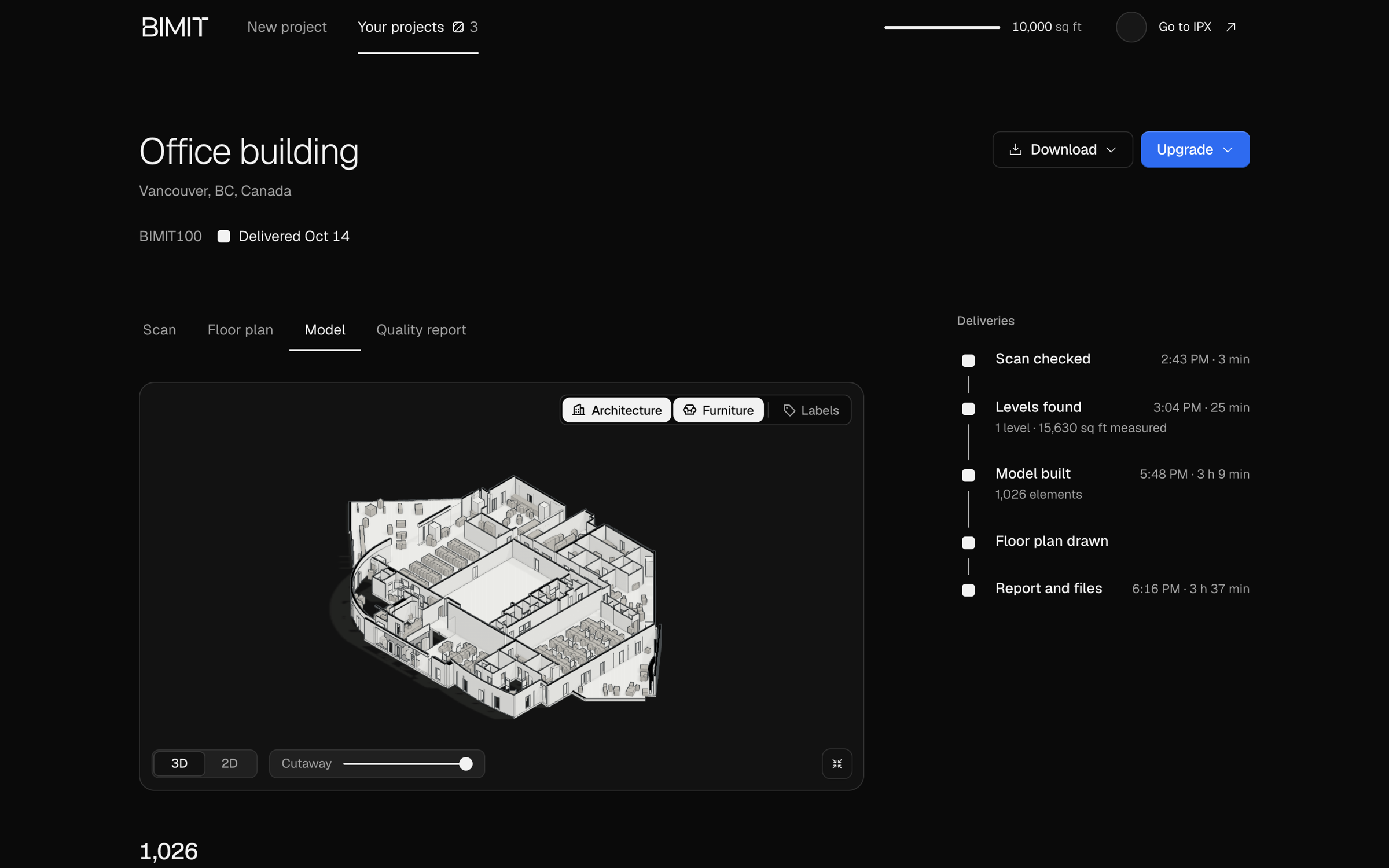
Follow it as it builds. The project page lists each delivery as it lands: Scan checked, Levels found, Model built, Floor plan drawn and Report and files. A 15,630 sq ft office went from start to files in 3 hours 37 minutes, with 1,026 elements in its model.
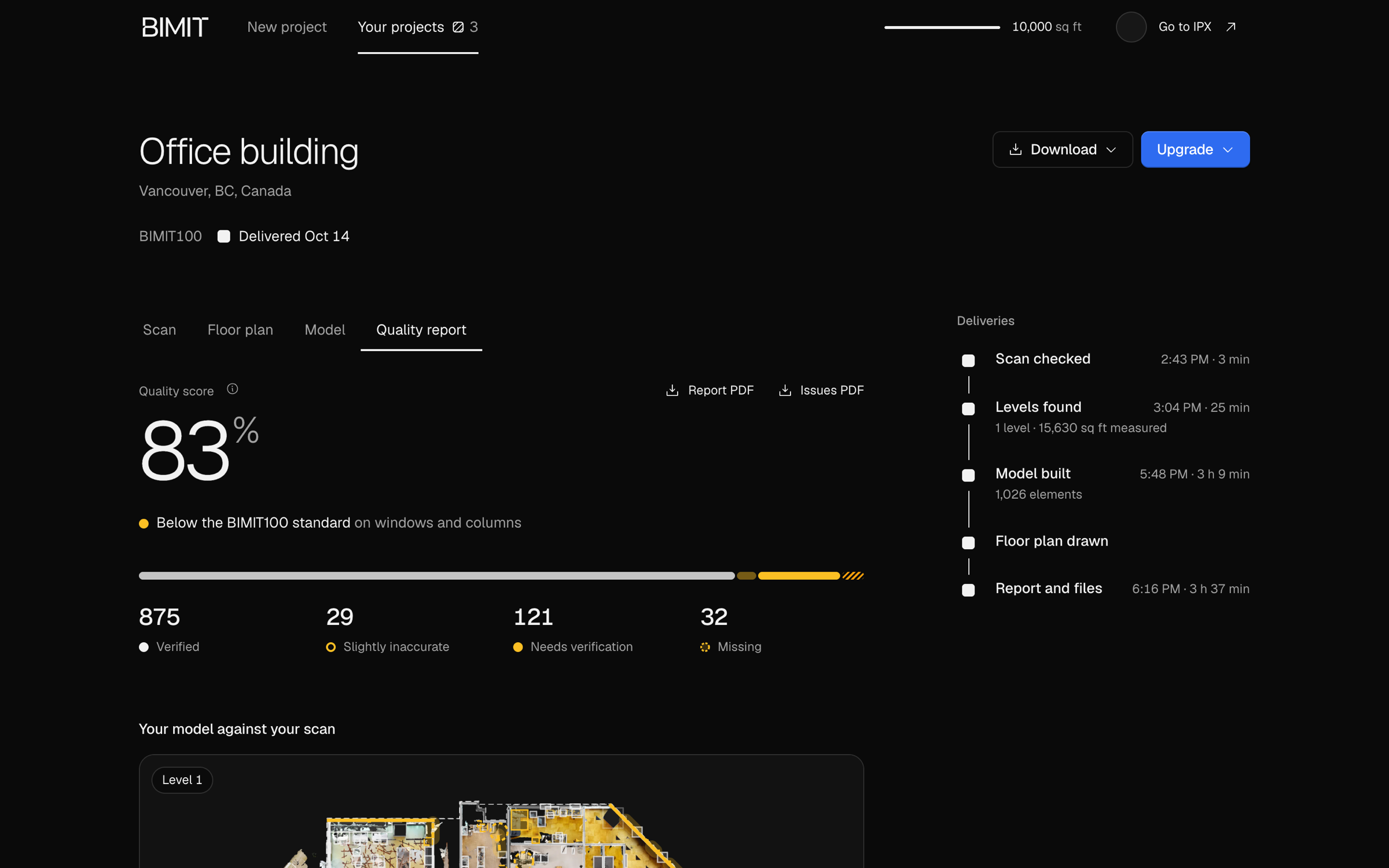
See what to check. The Quality report compares the model with your scan and marks every element Verified, Slightly inaccurate, Needs verification or Missing, on a plan of each level. You know where to look before you build from it.
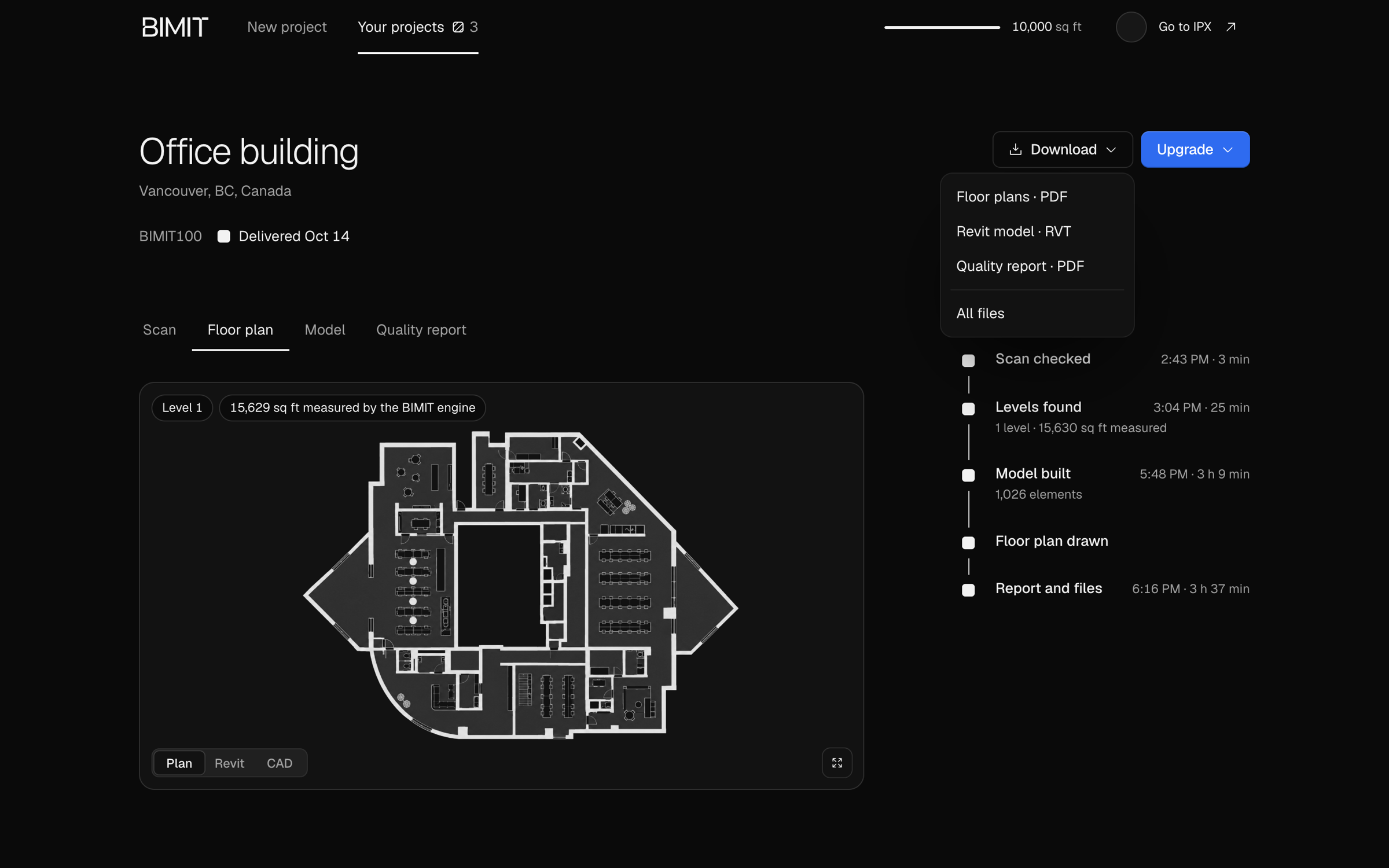
Download the files. Floor plans as PDF, the Revit model as RVT, a CAD drawing as DXF, plan images as PNG, and the quality report and its list of issues as PDF.
Getting started
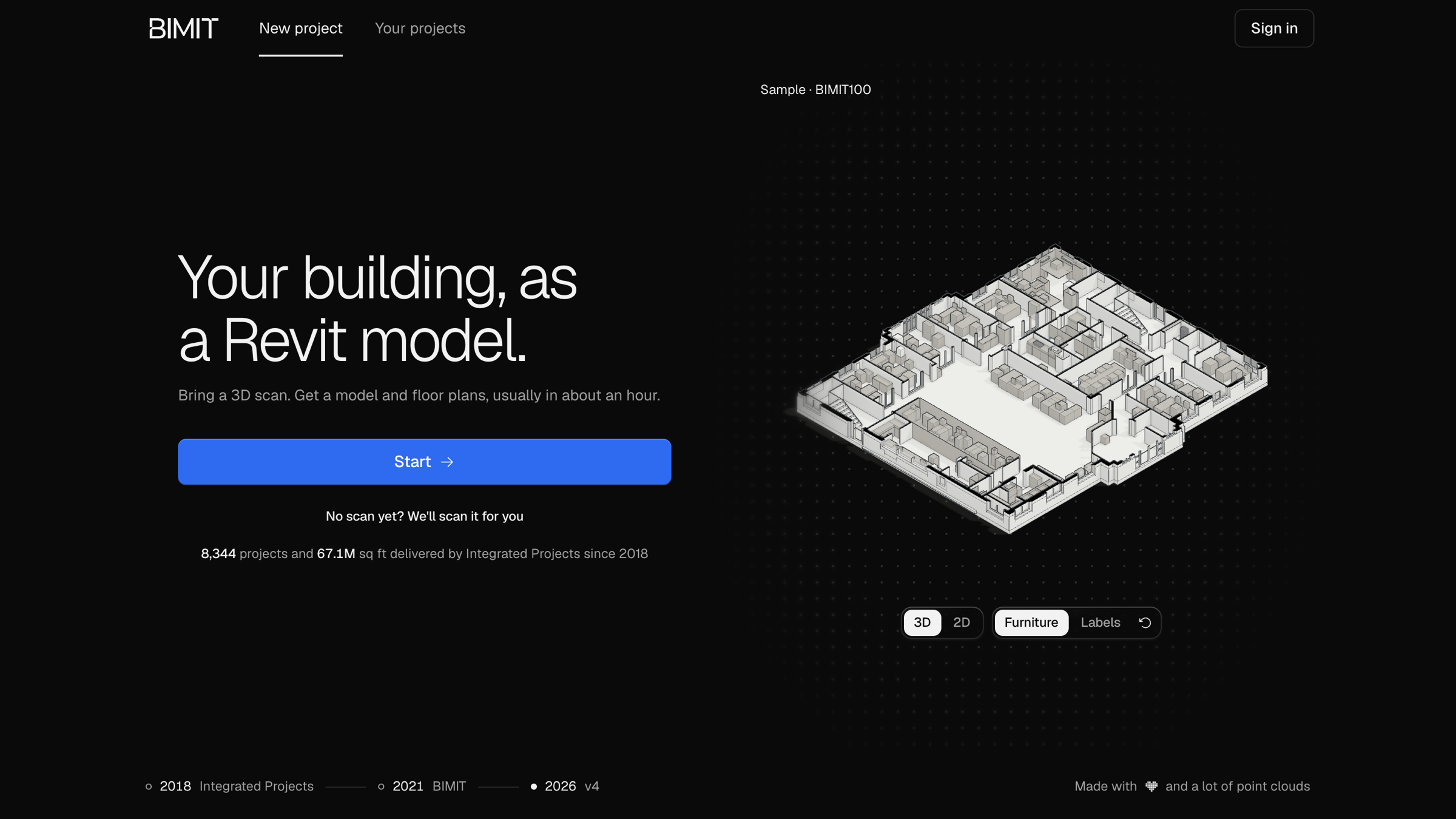
Open BIMIT, press Start and choose a level. Sign in or create a free IPX account, set up your organization if you don't have one yet, and upload your scan. Half the price is due at upload and half at delivery. The final payment follows the floor area the BIMIT engine measures, so if it measures less, you pay less.
Good to know